I Automated My Indoor Smart Garden's Grow Lights—Here's How
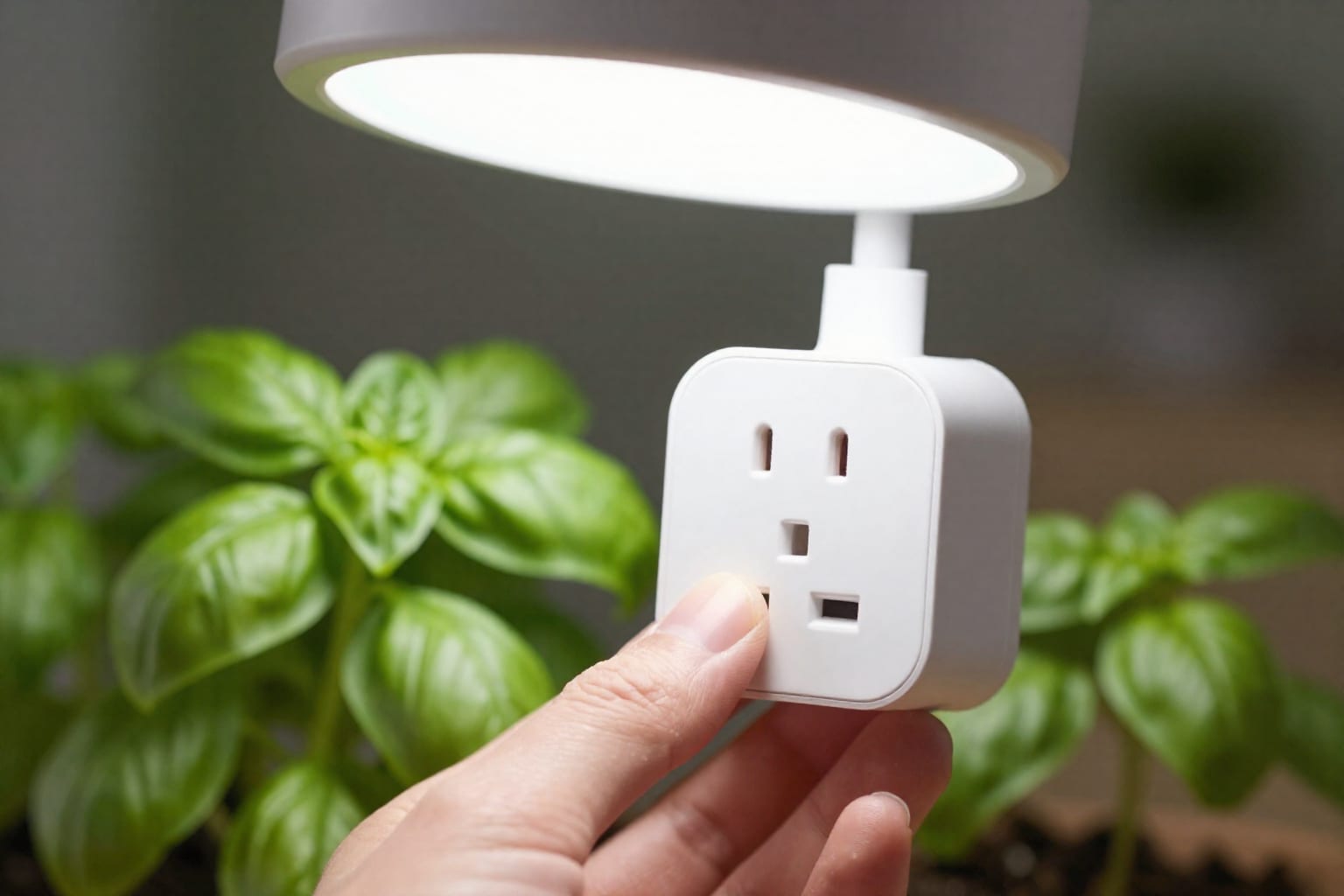
I killed three basil plants before I figured out that the culprit wasn't my watering schedule or the potting mix—it was my total inability to remember to turn the grow lights on at 6 AM and off at 10 PM. After the third crispy, leggy seedling met its end, I decided to automate my indoor smart garden's grow lights. What started as a lazy hack turned into one of the most rewarding tweaks to my home setup. Here's exactly how I did it, the gear that made it work, and the one mistake that almost ruined everything.
Why I Decided to Automate My Indoor Smart Garden's Grow Lights
My indoor smart garden was supposed to be the easy win—fresh herbs year-round, no soil mess, just add water and watch them grow. But the biggest variable I overlooked was the light cycle. I work from home three days a week, and on office days, I'd leave at 7:30 AM and return at 6 PM, often forgetting to turn the lights on at all. On work-from-home days, I'd leave them on for 16 hours straight because I'd get distracted by a Zoom call. The result? My basil grew tall and weak, the cilantro bolted, and the mint just looked sad.
The fix was obvious: consistent, automated light cycles. Plants, especially leafy greens and herbs, thrive on a predictable rhythm—typically 14 to 16 hours of light for vegetative growth, then a strict dark period for rest. But I'm a human with a terrible memory. Automation promised to hand that job to a $15 smart plug and a free app. No more guilt trips every time I walked past a droopy plant. Plus, I'd read that stable light cycles can increase growth rates by 20–30%, which meant more pesto and fewer trips to the grocery store.
So I dove in, expecting a simple timer solution. What I found was a surprisingly rich ecosystem of smart plugs, sensors, and app features that could do everything from sunrise simulation to adaptive dimming. Here's the gear that actually delivered.
The Gear I Used: Smart Plugs, Sensors, and Apps That Actually Work
1. The Smart Plug: TP-Link Kasa KP125 (with Energy Monitoring)
I chose the Kasa KP125 because it's Wi-Fi–enabled (no hub required), handles up to 15 amps (plenty for my 60W LED grow panel), and includes energy monitoring. The energy tracking turned out to be a hidden gem—I can see exactly how many kilowatt-hours my lights use each day, which helped me optimize the schedule. A standard dumb timer plug would have worked, but the smart plug let me adjust schedules from my phone, set multiple timers, and even sync with sunrise/sunset times via the app.
Key specs to check for your gear:
- Max load: Make sure it's rated for your light's wattage. A 1000W equivalent LED might draw 150W, so a 10A plug (1200W max) is fine. But if you're running multiple lights on one plug, add up the watts.
- Dimmable support: Most smart plugs are on/off only, not dimmable. If you want a sunrise/sunset fade effect, you need a smart dimmer switch or a smart bulb that supports dimming—and your grow light must be dimmable.
- App ecosystem: Kasa, Smart Life, and Amazon Alexa–compatible plugs all work. I prefer Kasa because the schedule interface is dead simple.
2. The Light Sensor: Aqara Zigbee Light Sensor (with Hub)
I added an Aqara light sensor (about $20) paired with an Aqara Hub M2. The sensor measures ambient lux in real time and can trigger the smart plug to turn the grow light on if natural light drops below a threshold. This was overkill for my basic setup, but I wanted to experiment with adaptive control—so on cloudy winter days, the light stays on a bit longer; on sunny summer afternoons, it might skip an hour. The result is more natural growth, less electricity waste.
If you don't want a sensor, a simple timer schedule works fine for 90% of indoor gardens. The sensor is a nice-to-have, not a must.
3. The App: Kasa (for Schedules) + Apple Home (for Automation)
I set the primary schedule in the Kasa app: lights on at 7:00 AM, off at 9:30 PM (14.5 hours for my basil and mint). Then I used Apple Home's automation to add a conditional rule: if the Aqara sensor reads below 500 lux for 10 minutes, turn the plug on. This runs as a backup on gloomy days. The whole setup took under 20 minutes, including plugging everything in and downloading the apps.
Pro tip: Label your smart plug clearly in the app (e.g., "Basil Grow Light") so you don't accidentally turn off your coffee maker instead.
Step-by-Step: How I Set Up the Automation in Under 20 Minutes
Here's the exact process I followed—no tech wizardry required.
- Plug in the smart plug near your indoor garden. Make sure it's within Wi-Fi range. I placed mine on a shelf above the garden so the cord reaches easily.
- Download the app (Kasa in my case) and create an account. Follow the in-app pairing instructions—usually scanning a QR code on the plug and pressing a button.
- Set the schedule: In the Kasa app, tap the plug icon, then "Schedule" > "Add Schedule". I set a timer for 7:00 AM to 9:30 PM every day. You can also set different schedules for weekdays vs. weekends.
- Enable sunrise/sunset simulation (optional): Kasa doesn't natively support fade, but I used Apple Shortcuts to create a ramp: at 6:50 AM, turn the plug on at 50% brightness (requires a dimmable bulb and smart dimmer). For a simpler approach, just use the on/off schedule—plants don't mind an abrupt start as long as the cycle is consistent.
- Add the sensor (if using): Pair the Aqara sensor with the hub via the Aqara app. Then in Apple Home, create an automation: "When the light sensor detects less than 500 lux, turn on the grow light plug." Set it to run only during daytime hours to avoid overnight activation.
- Test it: Manually turn off the plug and wait for the next scheduled start. I tested by setting a timer 5 minutes ahead to confirm it worked.
Real-world adjustment: After two weeks, I noticed my basil was growing a bit too fast—leggy again. I reduced the light cycle from 14.5 to 13 hours (on at 8 AM, off at 9 PM). That stopped the stretching. For seedlings, I use 16 hours. For flowering plants (I tried growing a small pepper plant), I switch to 12 hours. The schedule is easy to tweak from my phone.
What I Learned: Surprising Wins and One Pitfall to Avoid
After three months with automated lights, here's what I observed:
- Growth rate: My basil grew about 25% faster than before, with thicker stems and larger leaves. The cilantro stayed compact and didn't bolt for six weeks.
- Electricity savings: The energy monitor showed I was using about 0.8 kWh per day with the lights. Before automation, I was averaging 1.2 kWh because I'd forget to turn them off. That's a 33% reduction—roughly $3–4 saved per month, which adds up.
- Less stress: I no longer panic if I leave for a weekend trip. The schedule runs whether I'm home or not.
The pitfall: I initially used a cheap, non-branded smart plug from a discount store. After two weeks, it disconnected from Wi-Fi every other day, and the lights stayed on for 18 hours straight. I replaced it with the Kasa plug and had zero issues. Lesson: spend the extra $5–10 on a reputable brand (Kasa, Wemo, or Amazon Smart Plug). Also, avoid using a smart dimmer plug with a non-dimmable grow light—it can flicker or damage the light.
Frequently Asked Questions
Can I automate grow lights without a smart hub?
Yes, absolutely. A Wi-Fi smart plug with a companion app (like Kasa or Smart Life) can schedule on/off times without any hub. You just need Wi-Fi and a smartphone.
Will any smart plug work for grow lights?
Most work, but for full-spectrum or high-wattage lights, check the plug's max load (often 10A or 15A). Avoid dimmable plugs unless your light supports dimming—they can cause flickering or damage.
Do I need a separate light sensor for automation?
Not strictly—timers alone work for consistent cycles. But a sensor helps adapt to real light levels (e.g., cloudy days) for more natural growth. It's a nice extra, not essential.
How do I set a sunrise/sunset fade effect with smart plugs?
Use a smart plug that supports 'ramp' or 'fade' schedules in its app, or pair with a compatible dimmer and bulb if your grow light supports dimming. Kasa doesn't have native fade, but you can use Apple Shortcuts or IFTTT for a gradual on/off.
Will automating grow lights save me money on electricity?
Yes, by preventing lights from running too long (e.g., 18 hours vs. 12 for seedlings), you can cut electricity use by up to 30%. In my case, I saved about $3–4 per month.
Practical Takeaway
Automating your indoor smart garden's grow lights doesn't require a degree in electrical engineering or a pile of expensive gear. A $15–20 smart plug, a free app, and 20 minutes of setup can give your plants the consistent light cycle they need—and save you money and guilt. Start with a simple timer schedule, add a sensor only if you want adaptive control, and always use a reputable plug. Your basil will thank you.